Allowance that runs itself

Set the amount and the schedule once, and it's sent automatically, on time, every time.

Allowance is available from $2.99/mo. See plans →

11:11
Riley’s allowance
$20

Schedule

WeeklyOn Friday

Primary source

Parent balanceIn seconds · No fees
Add backupSet up
11:11

How often would you like to pay Riley’s allowance?

11:11
Monthly allowance

On which day of the month?

11:11
$20 will be sent to Riley every month on the 1stWe’ll use funds in your Parent Balance.

App Store and Trustpilot ratings as of April 26, 2026.¹

11:11
Riley’s allowance
$20

Schedule

WeeklyOn Friday

Primary source

Parent balanceIn seconds · No fees
Add backupSet up
11:11

How often would you like to pay Riley’s allowance?

11:11
Monthly allowance

On which day of the month?

11:11
$20 will be sent to Riley every month on the 1stWe’ll use funds in your Parent Balance.

Set it once. It just runs.

Pick the amount

Pick the schedule

Daily, weekly, biweekly, or monthly.

That's it

It pays automatically from the parent balance. You never have to remember.

Why a Modak allowance beats cash

Scheduled payments

On time, every time

Allowance lands on the day you set, automatically. If your primary funding source is short, we fall back to your backup method so it's never missed.

Steady income

Just like a paycheck

A steady payment on a steady schedule. Kids learn to make it last and plan for the next one.

Full control

Yours to adjust

Raise it, pause it, or change the schedule anytime, right from your phone.

Allowance vs. chores: what's the difference?

Allowance

Allowance is automatic

A set amount on a set schedule, no strings attached. The steady base they learn to manage.

Chores

Chores are earned

Pay for specific tasks once they’re done. The “work for it” part.

Most families run both: a steady allowance to budget, plus chores to earn extra. Modak handles either, or both. See chores →

How much should you give?

Every family lands somewhere different. A simple place to start is around $1 a week for each year of age, then adjust to your budget and to what you want them learning to handle.

AgeA simple starting pointWhat it usually covers
5–7Starting pointA few dollars a weekWhat it coversSmall treats, learning to choose
8–10Starting pointAbout $1 per year of ageWhat it coversSnacks, small toys, first saving
11–13Starting pointA bit more, with responsibilityWhat it coversOutings, games, saving for goals
14–17Starting pointEnough for real independenceWhat it coversTheir own spending, bigger goals

These amounts are for general informational purposes only and are not financial advice. What's right for your family depends on your own circumstances, values, and budget.


Modak family — mom and daughter with her card
Modak family — mom in the car with her son
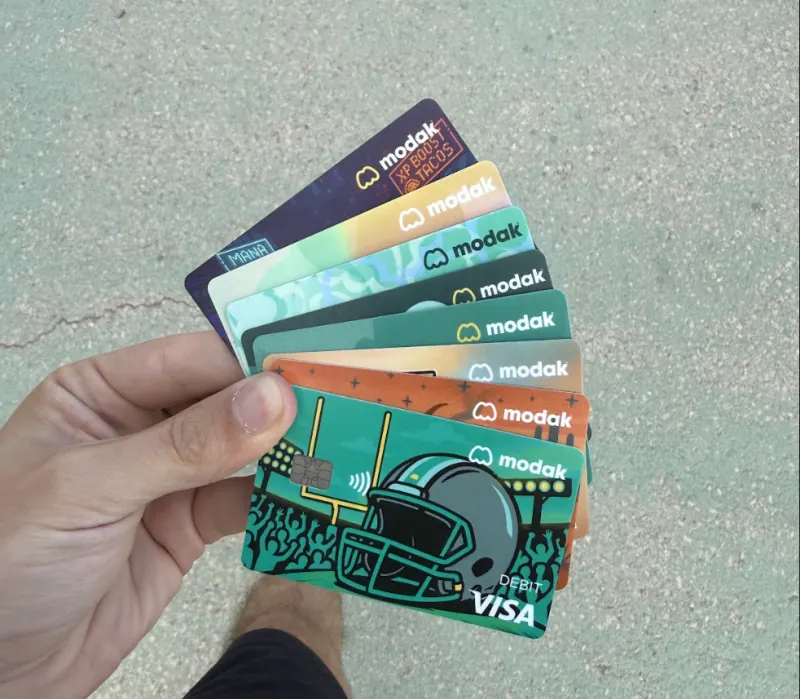
Modak family — hand fanning out card designs
Modak family — card outdoors at sunset
Modak family — mom and son on the couch
Modak family — kid with their card

Trusted by over 200,000 families

App Store and Trustpilot ratings as of April 26, 2026.¹

KW
Kylie W.

“It's really cool how my parent can give me an allowance with it, and how it can be used digitally and physically. I really enjoy this app!”

YD
Yazenia D.

“It's a great and easy way for your child to earn money with the expectations given to them — whether it's doing weekly chores or monthly allowances.”

M
Melina

“My kids finally stopped expecting me to buy them something every time we're at a store, because I give them plenty of opportunities to make bonus allowance in the app.”

Deposit account and the Modak Visa® debit card issued by Legend Bank, N.A., FDIC-Insured.

Modak is a financial technology company and not a FDIC insured financial institution.

Frequently asked questions

How can I set up Auto Allowance?
  1. As a parent open the Modak app.

  2. Select one of their teens under the account.

  3. Tap on **Allowance. **

  4. Toggle the **Allowance switch ON. **

  5. Set the amount and select the frequency: Daily, Weekly, Bi-weekly or Monthly

  6. If applicable, select the specific day for the allowance payment (e.g., every Friday, or the 1st of each month).

  7. Tap **Save Allowance.

    **

Once saved, Modak will automatically transfer the chosen amount from the parent’s balance to the teen’s balance according to the selected schedule.

The parent can turn off or edit the allowance at any time.

Read more →
How can I edit the auto allowance?

Please follow the next steps:

  • Select Kid Profile: Click on the profile of the child whose allowance you want to adjust.
  • Access Allowance Settings: Click the “Allowance” button.
  • Adjust Details: Make any necessary changes to the allowance details.
  • Save Changes: Press “Save” and go back.
Read more →
How can I Turn off Allowance?

Please follow these steps:

  • Select Kid Profile: Click on the profile of the child whose allowance you want to turn off.
  • Access Allowance Settings: Click the “Allowance” button.
  • Toggle Off: Switch the “On/Off” toggle to “Off.”
  • Confirm Status: Ensure the screen now appears gray, indicating the allowance is turned off.

Save Changes: Press “Save” and go back.

Read more →
How to set up chores for my kid?
  1. Log in to your account
  • Tap on your kid’s profile.
  • Select kid’s profile: Click on “Chores” and tap “Add chore”
  • Type ( or select) a chore name
  • Choose a reward and description (optional) and click “Continue”
  • Set a frequency (how often you want it assigned) and a start date.
  • Make sure you have money in your account to be able to pay the chores
  1. Then tell your kid to log into their account
  • Tell them to click on chores
  • They’ll see the chores you have set up for them.
  • Then they’ll have to select the chore and “mark completed” once is complete it.
  • They have to select an image as proof that they have completed the chore and “mark complete now”
  • Finally, from your account, you can pay them for completing the chore.
Read more →
See all FAQs →

Start building smarter money habits today

Join families raising kids who know what to do with money.

Get started for free →


Get started for free